
User Guide
This page walks you through everything from signing up for Ultima Gacha to playing Gacha and receiving your Prizes. The screenshots shown are from the actual app (some use a sample test Gacha). If you get stuck, check this page.
1. Registration & Login /register・/login
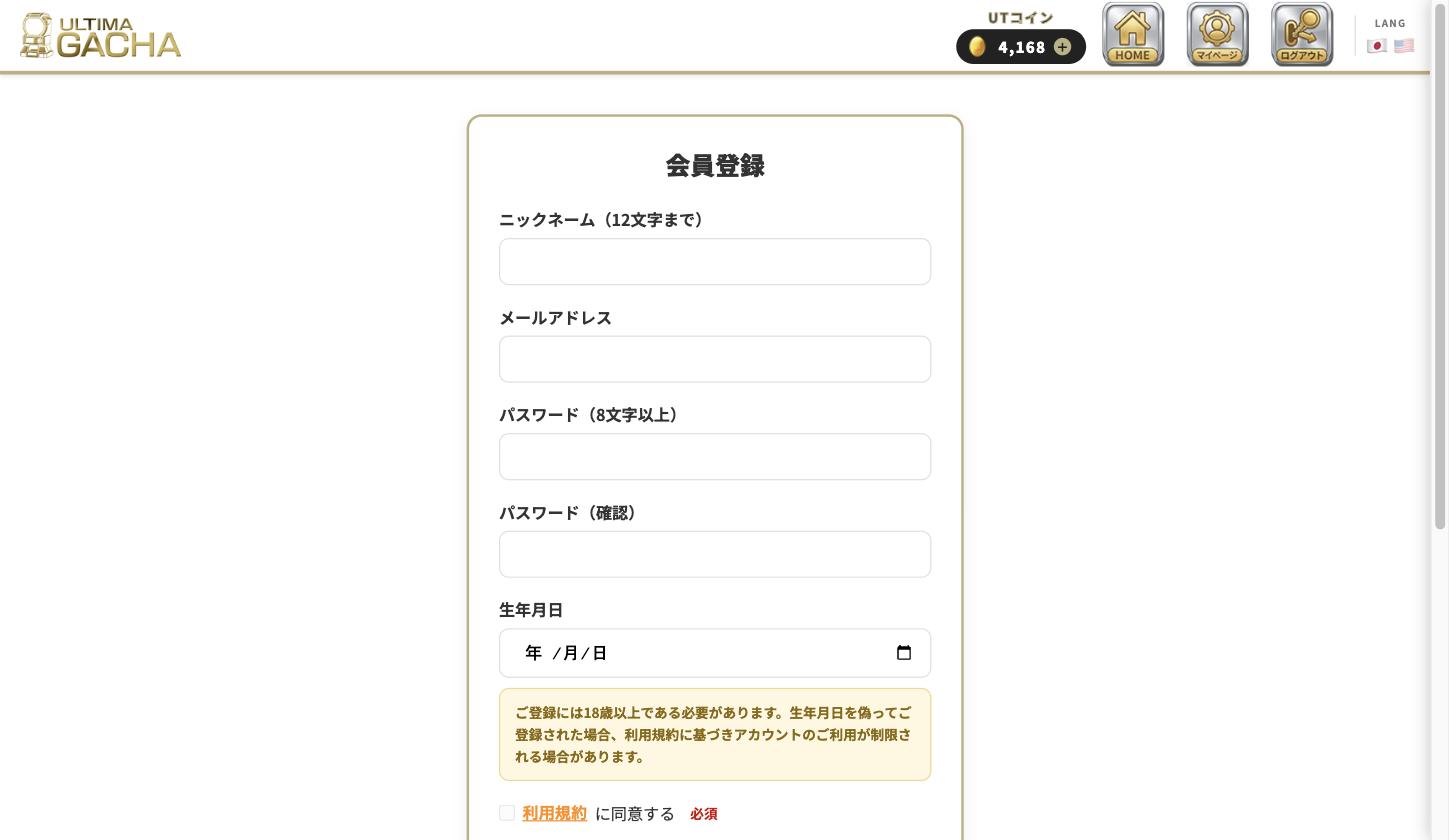
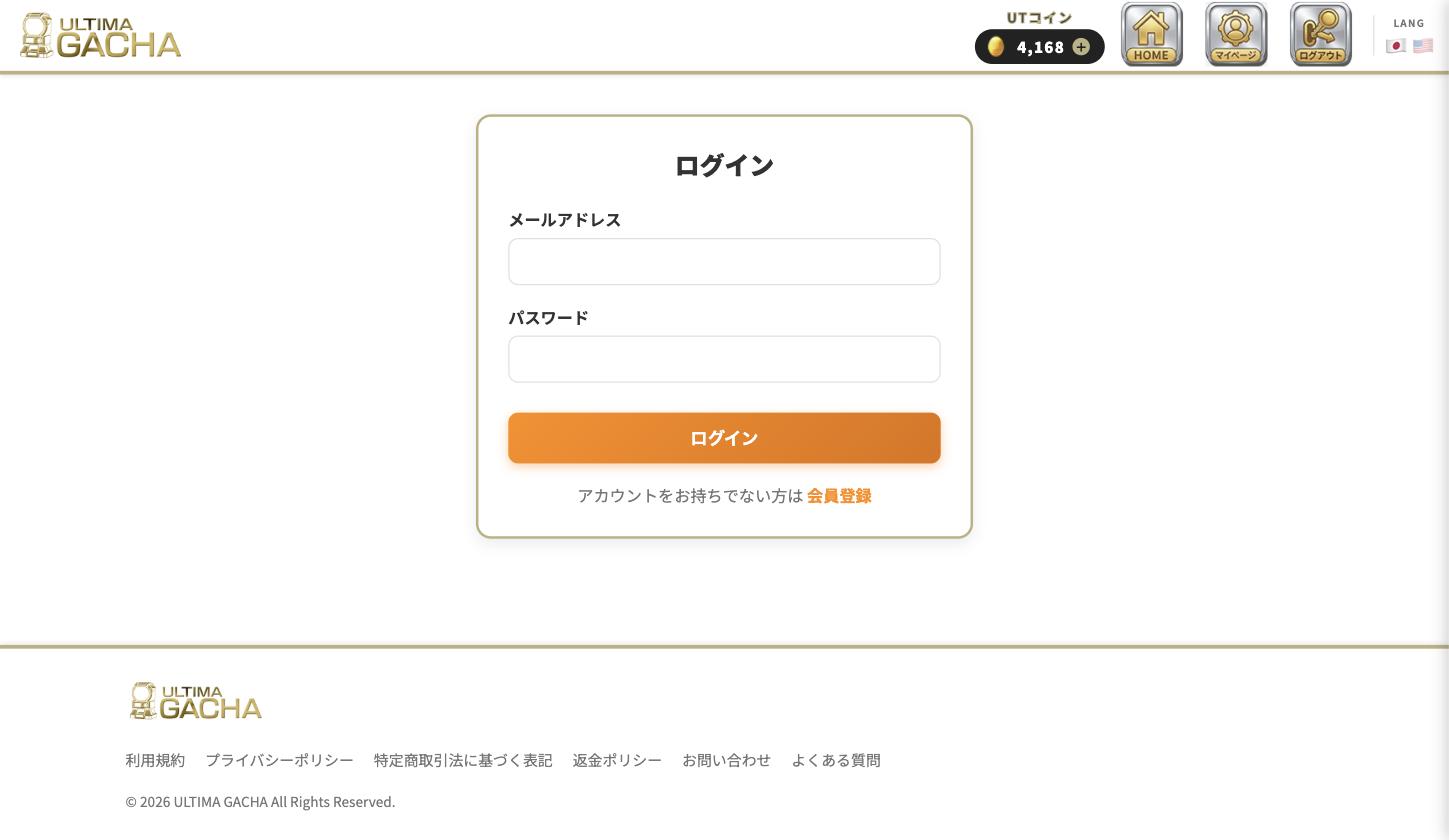
You need a free membership to play Gacha. Register from the "Sign Up" icon at the top right of the header.
- Nickname: Up to 12 characters. Not shown to other members (only visible to you, on screens like My Page and Notifications).
- Email address & password (8+ characters): Used to log in.
- Date of birth: You must be 18 or older to register. Your age determines whether you can access Gacha labeled "For Persons Aged 20 or Older" or "Adult Products," described later.
- Agreeing to the Terms of Service: The agree button becomes active once you scroll to the bottom.
2. Choosing & Playing Gacha /gachas・/gacha/{id}
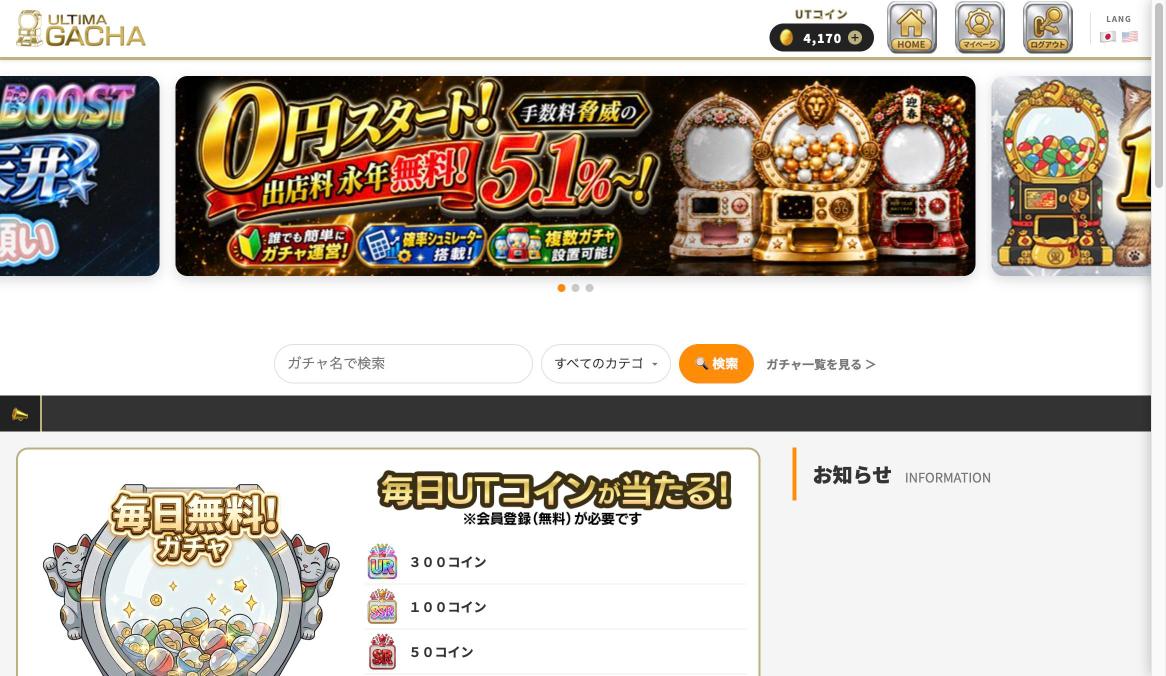
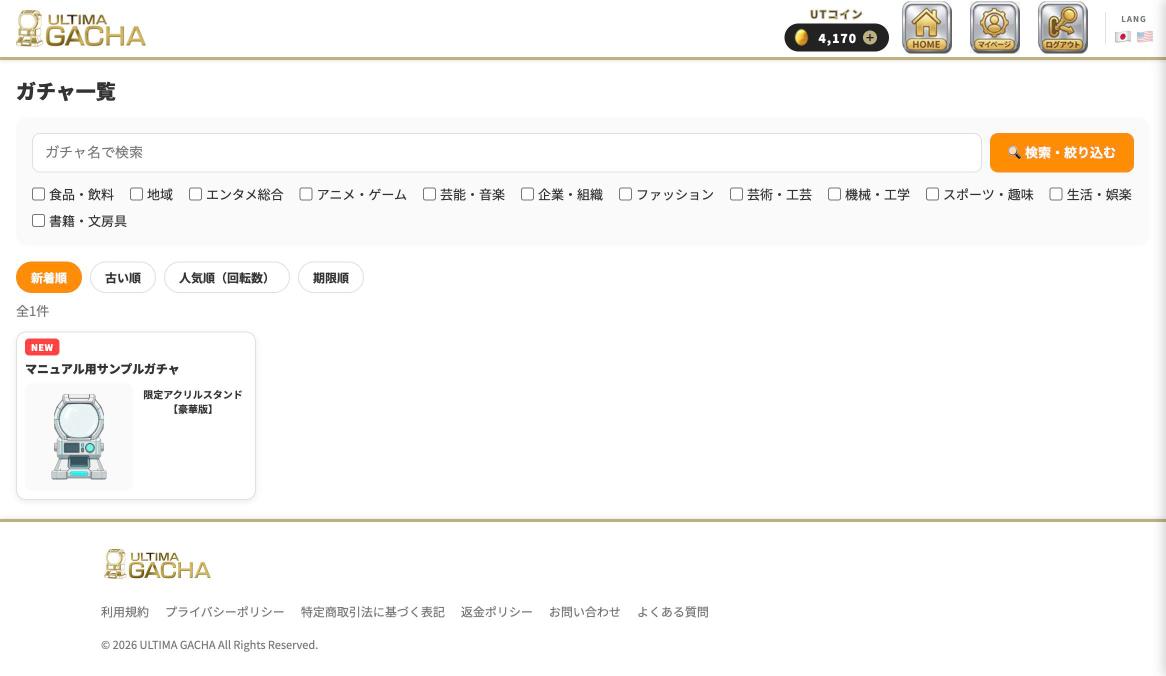
Use the search box on the top page, or the header, to browse the Gacha list. You can narrow by category or sort by newest, popularity (draw count), or ending soonest.
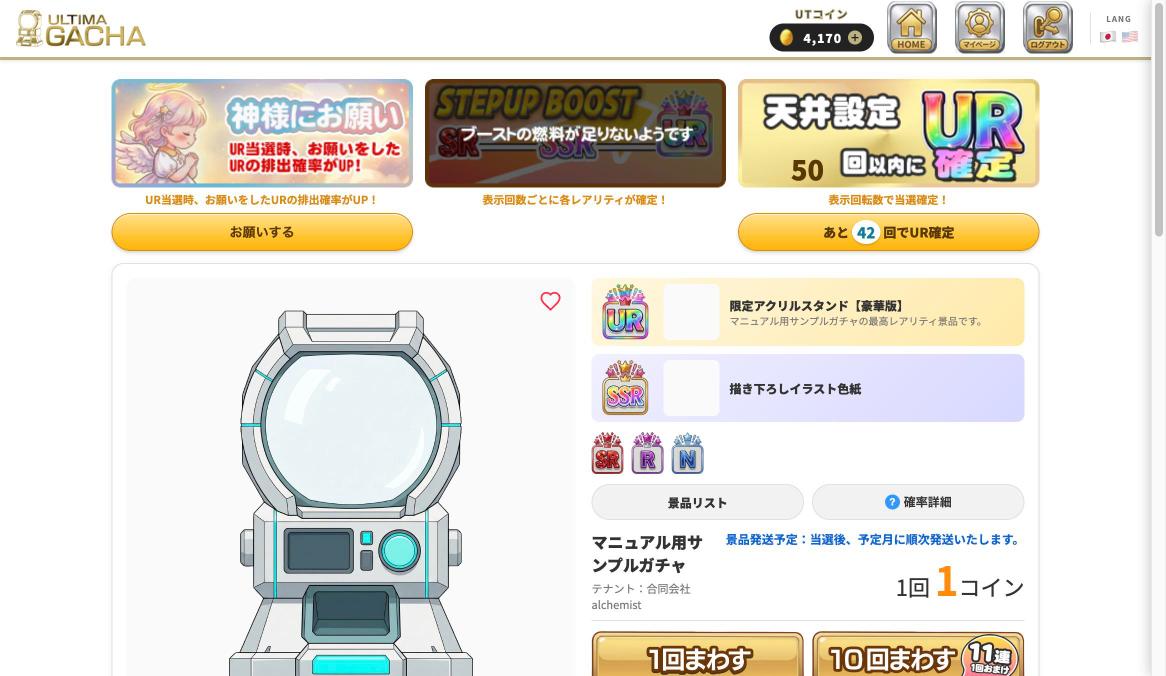
Understanding the Gacha Details Screen
- Wish to the Gods: Choosing one UR Prize in advance increases its odds when you win a UR (only on eligible Gacha).
- STEPUP BOOST / Pity system: Some Gacha guarantee a rarity or a UR once you reach a shown number of draws (only on eligible Gacha; if both are set, only one is shown).
- Prize List / Probability Details: You can check the list of Prizes and their drawing probabilities from these buttons.
- Heart icon: Adds the Gacha to your Favorites. This is separate from the "Like" button.
- Draw x1 / Draw x10 (with a bonus draw): Spends Coins to play the Gacha. Drawing x10 includes one bonus draw, so you actually get 11 draws.
Playing a Gacha
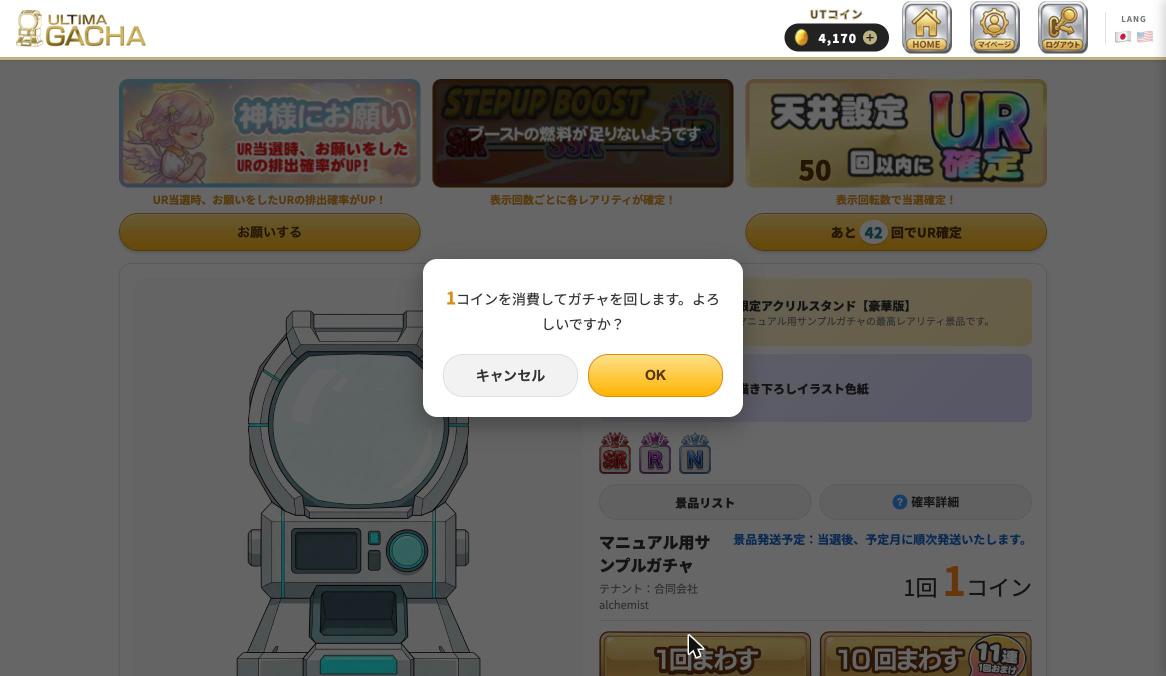
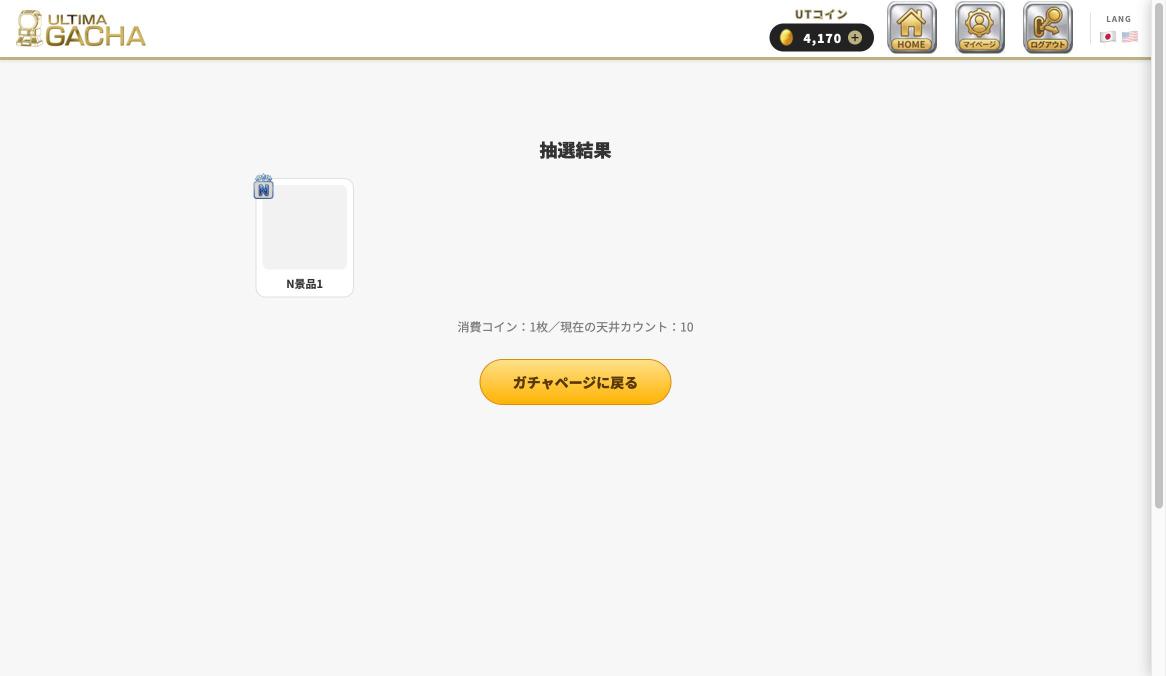
Pressing "Draw x1" or "Draw x10" shows a confirmation screen with the Coin cost. Press "OK" to proceed to the results screen.
3. About UT Coins /coin/purchase
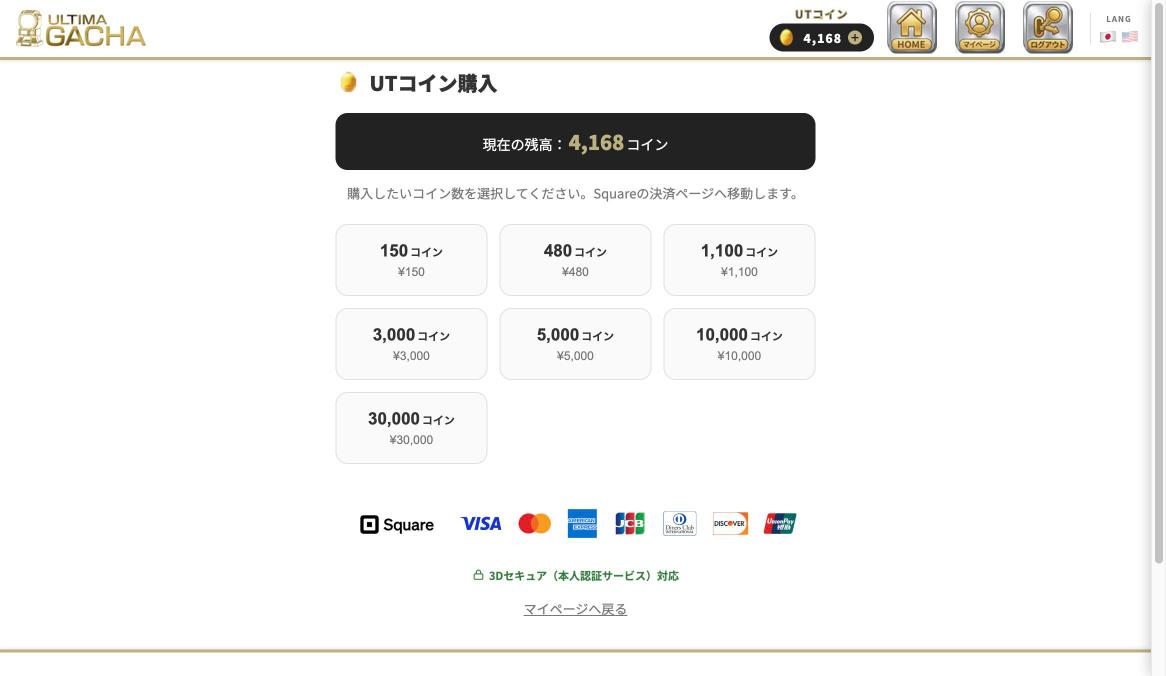
You need "UT Coins" to play Gacha. You can go to the purchase page from your Coin balance (the "+" button) at the top right of the header, or from the pop-up shown when you don't have enough Coins to draw.
- How to purchase: Choose from 7 packages ranging from 150 to 30,000 Coins, and pay by credit card on Square's payment page (3D Secure supported).
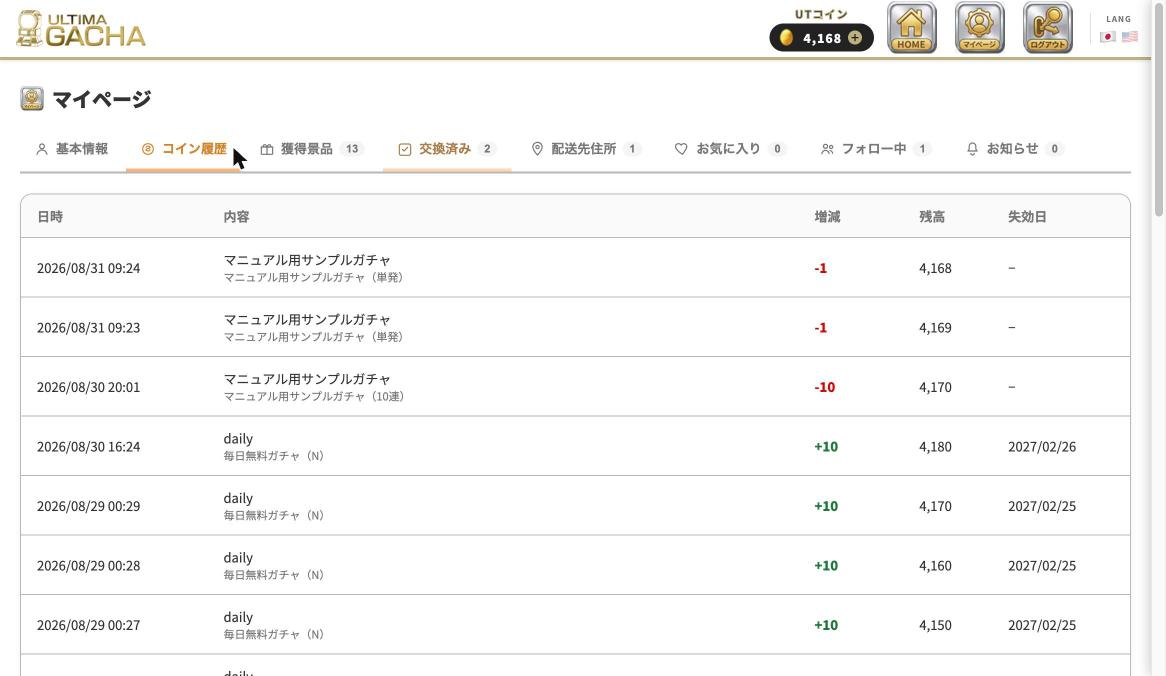
- Coin expiration: Coins expire 180 days after purchase. You can check expiration dates for each batch under "Coin History" on My Page, starting with the soonest to expire.
- What Coins are used for: Playing Gacha, and paying shipping fees for Prizes (described later). Coins cannot be refunded, exchanged for cash, or transferred.
4. Receiving Prizes (Exchange Procedure) マイページ「獲得景品」
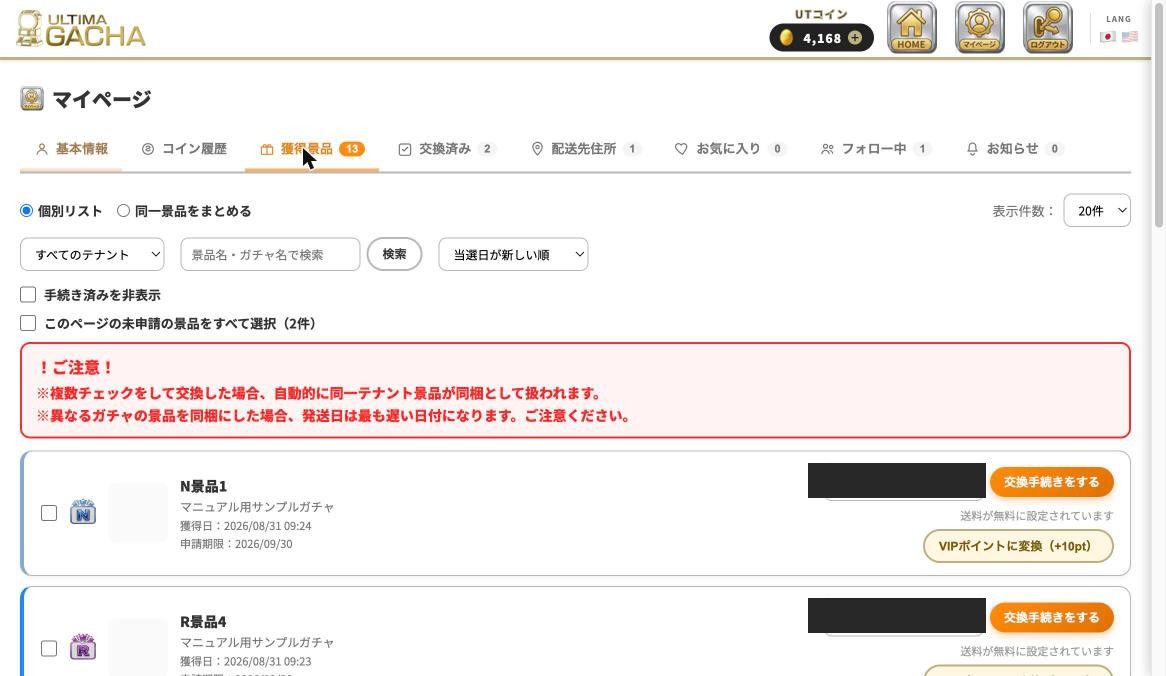
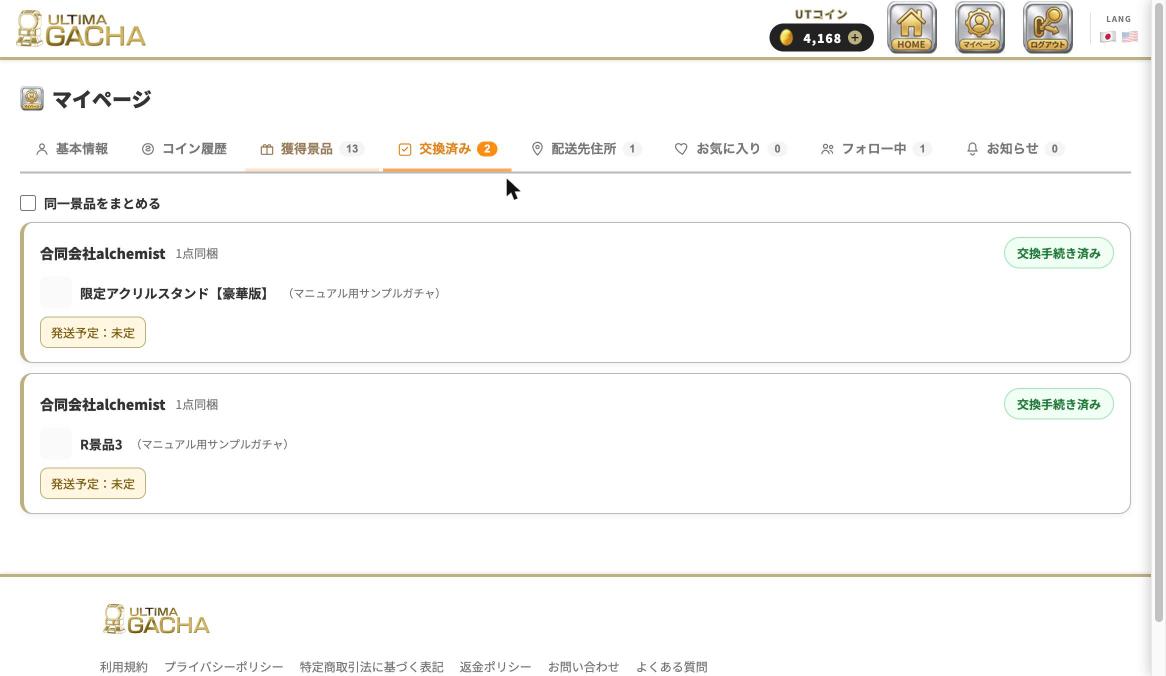
When you win a Gacha draw, the Prize is added to the "Prizes" tab on My Page. From there, choose "Start Exchange Procedure" to request shipment.
- Shipping fees are paid with UT Coins. Fees are set individually by each Tenant (seller), and some are free. The fee is deducted from your Coin balance during the Exchange Procedure (you cannot proceed if your balance is insufficient).
- Combined exchange: If you check and exchange multiple Prizes at once, Prizes from the same Tenant are bundled into a single shipment with one shipping fee. If you bundle Prizes from different Gacha, the shipping date follows the latest of the group.
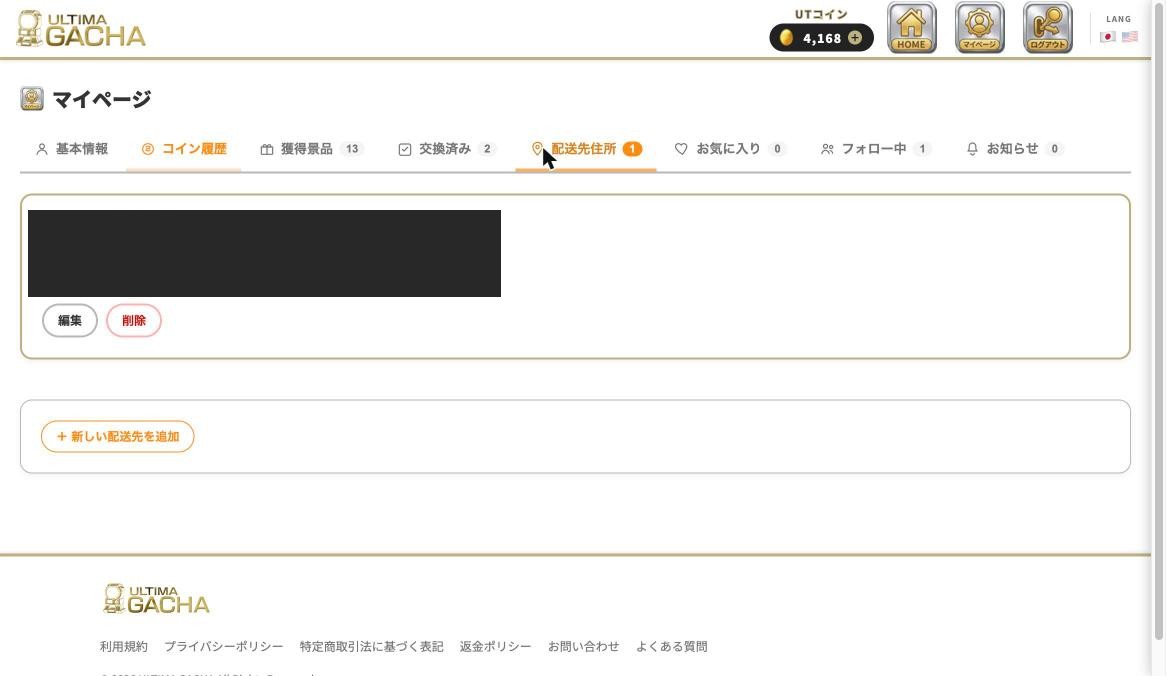
- Shipping address: During the Exchange Procedure, you choose a destination from the addresses registered under the "Shipping Address" tab on My Page. Registering addresses in advance makes this smoother.
- Who ships it: Prizes are shipped by each individual Tenant (seller), not directly by us (Ultima Gacha). Estimated shipping timing is noted on each Gacha's details page.
5. Converting to VIP Points マイページ「獲得景品」
If you would rather not receive a physical shipment, you can choose "Convert to VIP Points" instead of the Exchange Procedure. You will receive points based on the Prize's rarity.
6. Understanding My Page /mypage
You can go to My Page anytime from the icon in the header. Its features are organized into tabs.
Profile
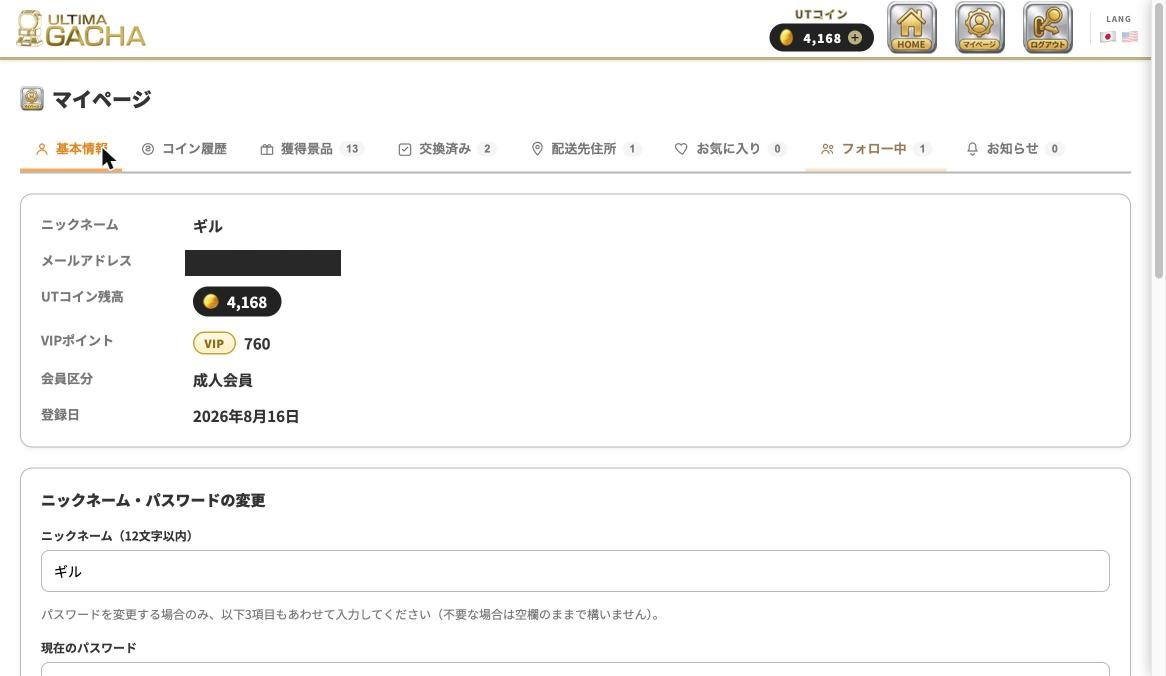
Change your nickname, email address, or password, or withdraw from the Service here. Email address changes take effect only after you click the link in the confirmation email.
Coin History
Check your history of Coin purchases, usage, and expirations. You can also see expiration dates for Coins you received for free here.
Shipping Address
You can register multiple shipping addresses for your Prizes. Setting a frequently used address as the "default" makes it easier to select during the Exchange Procedure.
Favorites & Follows
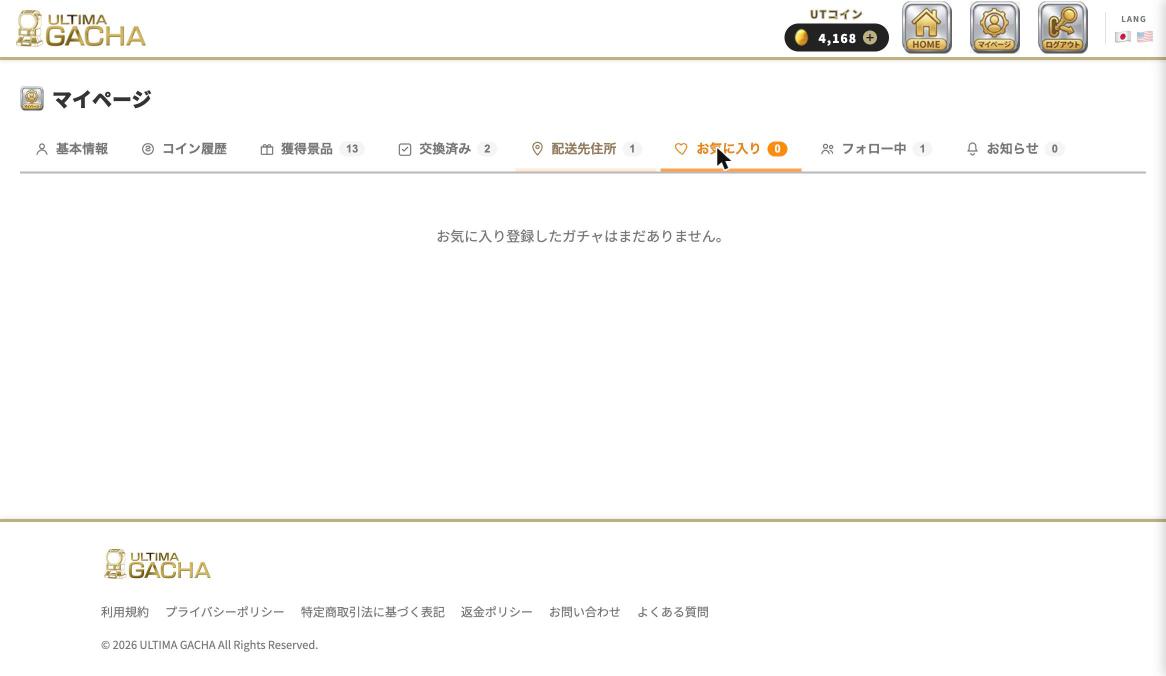
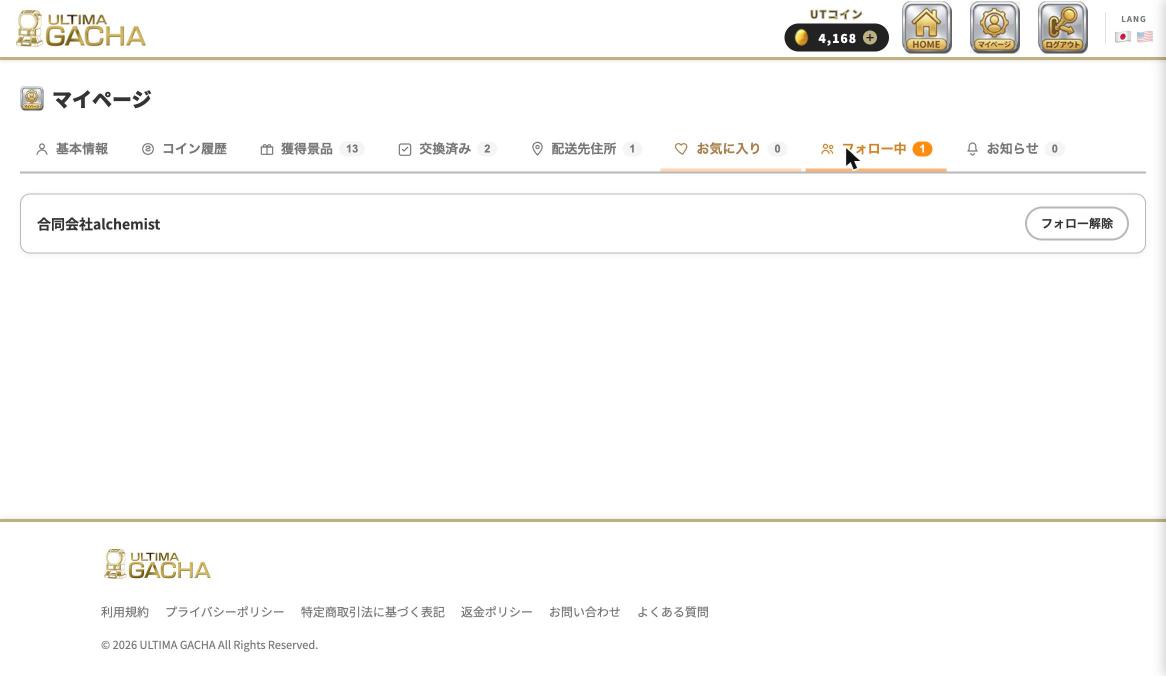
A list of the Gacha you've favorited using the heart icon on the Gacha details screen, and the Tenants (sellers) you follow.
Notifications
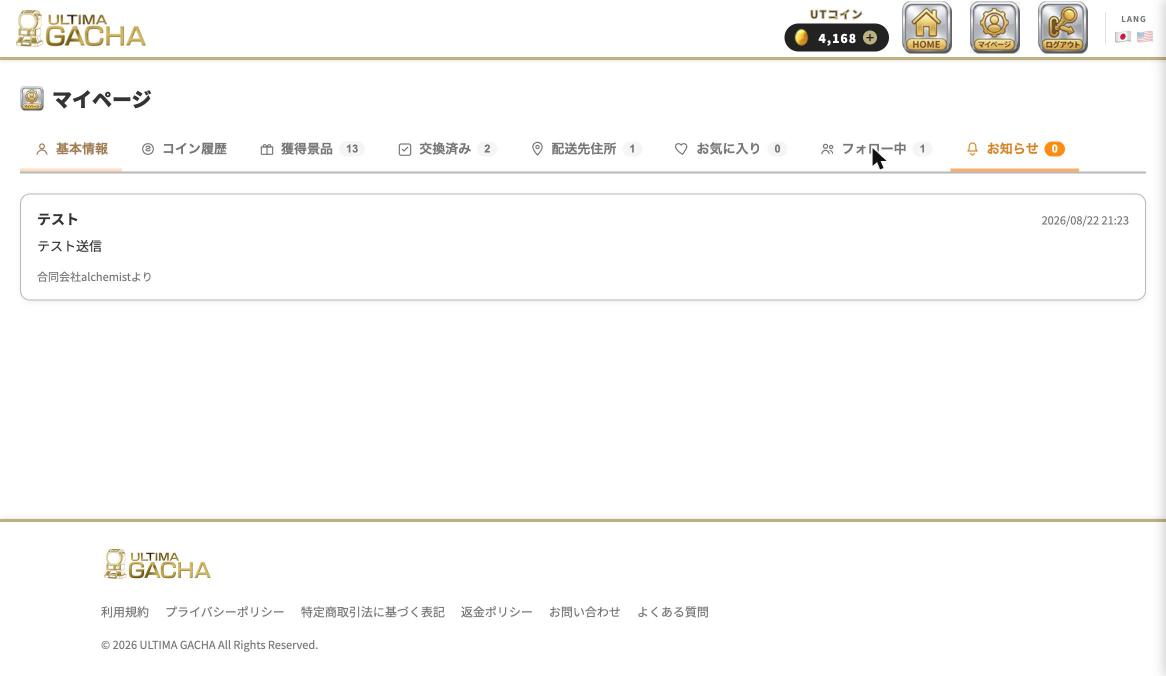
Notifications from Tenants you follow, and from us, arrive here.
7. Language Switching & Other Info
- Switching languages: You can switch between Japanese and English from "LANG" at the top right of the header.
- Age-restricted Prizes: Gacha that include items such as alcohol are labeled "For Persons Aged 20 or Older," and those with adult content are labeled "Adult Products." Access to these is restricted based on your registered date of birth.
- Terms of Service, Information Required under the Act on Specified Commercial Transactions, FAQ, and Contact: Available from the links in the footer.